AI & open-source practice
Making AI useful in geographic work.
I use AI agents to help build spatial applications, inspect data, and turn research into reusable workflows. The work starts with a geographic question and ends with something a person can check and use.
Reusable geographic knowledge
Hermes GIS Skills
A public library that puts GIS procedures, checks, and delivery guidance into a form an agent can follow.
I develop skills for inspecting ArcGIS services, checking geographic datasets, and building map applications across Esri and open-source tools. Versioned instructions make the method inspectable and easier to improve from one project to the next.
For example, a service-validation workflow starts with the source, its fields, coordinate system, and query limits. It compares the service’s record count with retrieved results, then reports the evidence and the constraints an application needs to respect.
Three parts of a working system
- The skill
Instructions that describe the workflow and the checks to make.
- The agent
Hermes Agent selects a skill, works through the task, and calls the available tools.
- The connected tools
GIS software, data services, and credentials are configured separately. A skill supplies neither access nor a running GIS environment.
 View screenshot ↗
From data to an application
The map has to explain its data.
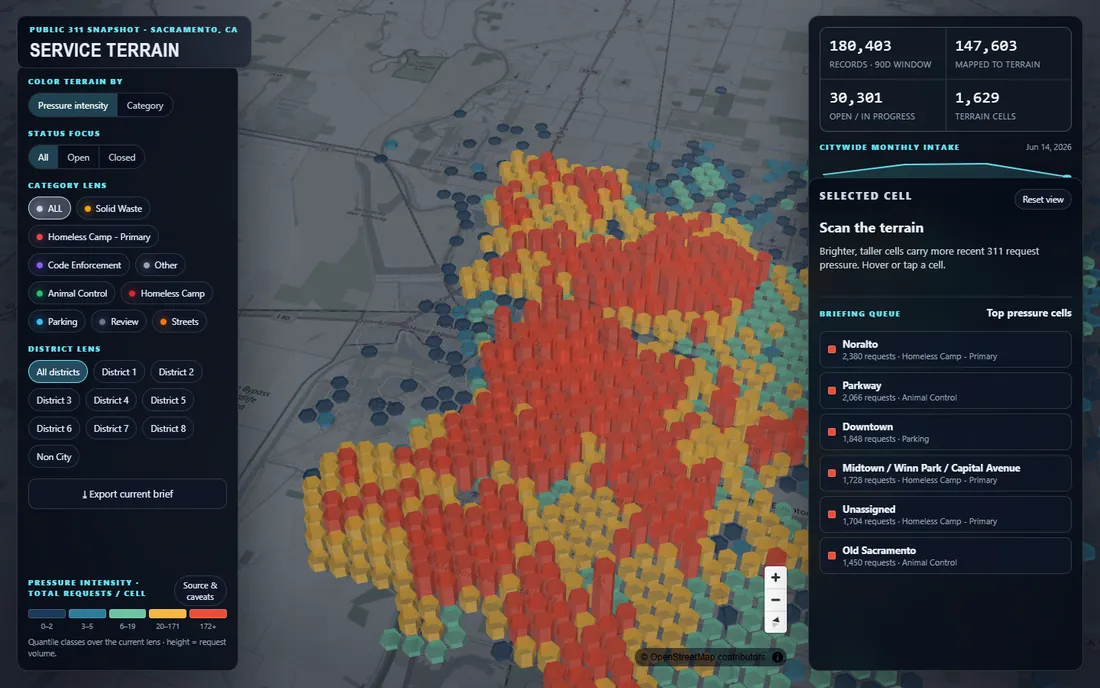
My independent apps are a place to put development ideas into practice. Sacramento Service Terrain turns 311 records into a 3D surface, with filters that let visitors explore category, status, and council district.
The design carries a specific meaning: column height represents request volume. It is not ground elevation, population, or a measure of verified need. The snapshot’s dates and coverage matter as much as the visual effect.
That is the standard I bring to AI-assisted development: check the data behind the interface, make filters and summaries agree, and explain what the result can tell the reader.
Personal knowledge & agent memory
Let each project inform the next.
My Second Brain connects research notes, project decisions, and working knowledge in an Obsidian vault. Knowledge Hub provides a browser interface for finding notes, following their connections, and working with tasks.
The same material can give an agent context for a new task. Source notes remain available for review, so a useful answer can lead back to the thinking behind it.
Explore the Knowledge Hub story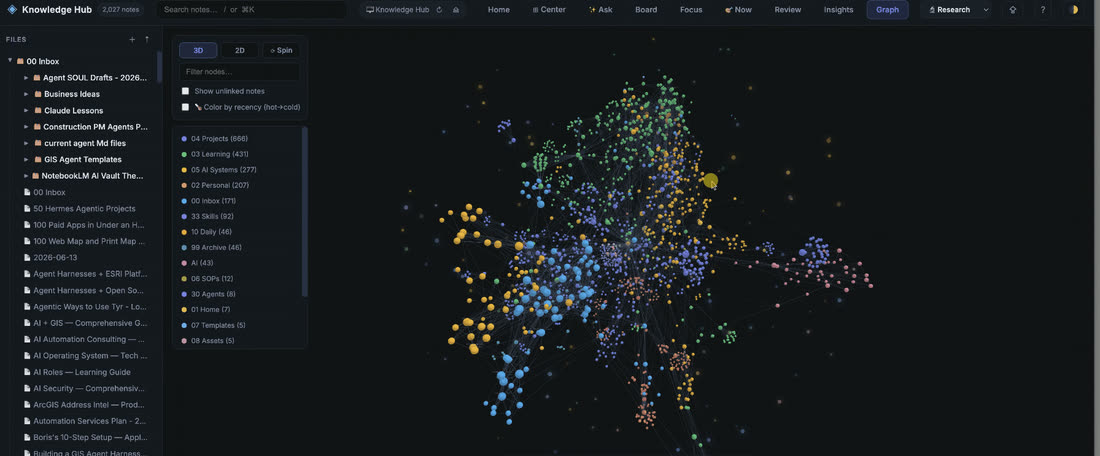
A method that stays reviewable.
The model is one part of the workflow. Sources, scope, and the quality of the result determine whether the work is useful.
- Define the question.
Identify the decision, the intended reader, and the output that would help them.
- Inspect the source.
Check structure, dates, coverage, coordinate systems, and missing values before building on the data.
- Build a focused workflow.
Give the agent a clear task and the tools it needs, with explicit limits on changes and external actions.
- Check the result.
Compare records and summaries, inspect the map, and exercise the interface. Preserve source links and explain gaps.
- Keep what worked.
Record decisions and turn repeatable steps into documentation, code, or a reusable skill.
Start with a useful problem.
A GIS workflow, a knowledge system, or a repeated task your team wants to improve.